CloudWatch Alarms
Custom Notification & Incident Report
1. Introduction ▾
CloudWatch Alarm offers Lambda as an Alarm Action. This allows custom actions to be performed when the alarm transitions state.
For example, it is possible to write a Lambda Function to:
- Perform preliminary investigation
- Deliver alarm notifications with more context
- Take remediation steps
This approach is recommended for common or well understood infrastructure/application problems where standard troubleshooting and remediation steps are known.
2. Architecture ▾
In this use case, a CloudWatch Alarm is deployed to automate the initial investigation into a production issue. The alarm is triggered when HTTP 502 Bad Gateway responses are detected on a load balancer fronting a production web application. The Lambda Function takes the following actions:
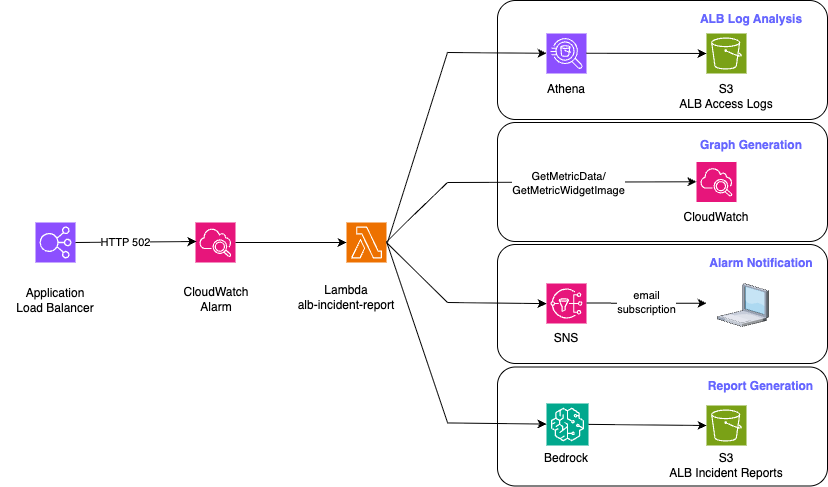
Fig 1: Custom Lambda Alarm Action
- Analyzes ALB access logs
- Retrieves ALB metrics with GetMetricData
- Graphs CloudWatch Metrics with GetMetricWidgetImage
- Delivers an email notification via SNS
- Leverages Bedrock to generate a detailed report in S3.
The SNS email notification includes a link to the incident report.
3. Email Notification ▾
Below is a screenshot of the SNS email notification:
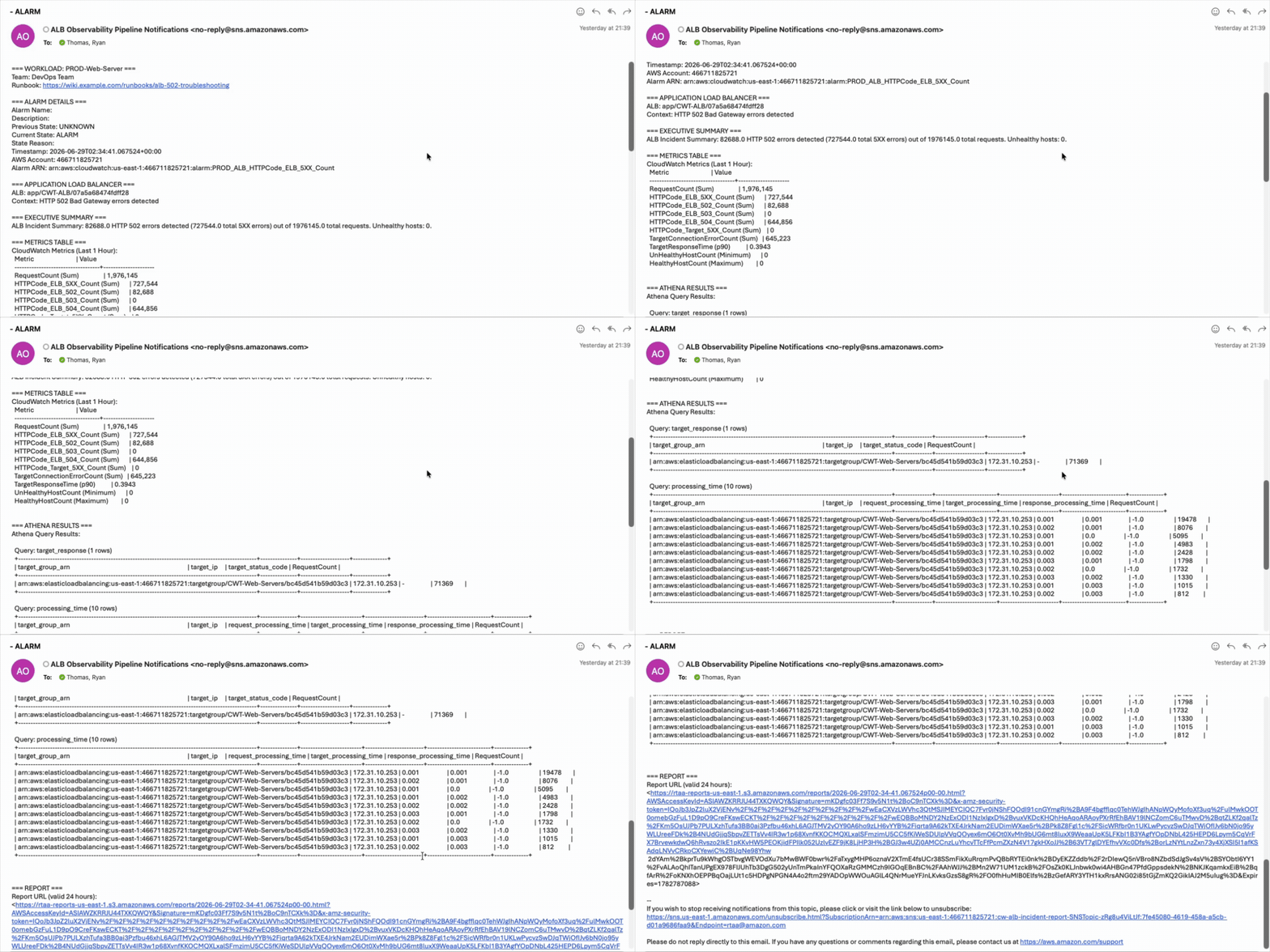
Fig 2: Email Notification delivered by SNS
Bedrock:
- was provided with the most recent CloudWatch Metrics and ALB access logs
- prompted to summarize the behavior
- identify a root cause
- suggest remediative actions
4. Incident Report ▾
Here are sample reports generated by this workflow:
The report triages the performance issues, provides possible root cause and next steps. This document would be incorporated into Incident Management systems.